

6 Best Medical Coding Automation Tools for Health Systems
Every vendor in this category claims high accuracy and high automation rates. Almost none of them define the terms the same way. This comparison covers X medical coding automation tools, the autonomy tiers that differentiate them, and the questions that reveal an inflated number before a contract is signed.
How much of your coding volume can a tool actually handle without sending it back to your coders?
The answer depends on the specialties and encounters you handle, and vendors don’t always calculate their automation and accuracy rates the same way. That makes it difficult to tell which tool will actually automate more of your coding workload based on the numbers alone.
We’ve compared six medical coding automation tools for health systems, including what they automate, where they fit, and what you should check before taking vendor claims at face value.
TL;DR: The 6 Best Medical Coding Automation Tools
If you're short on time, use this table to compare our top six medical coding automation tools:
Tool | Autonomy Model | Code Set Covered |
|---|---|---|
DeliverHealth | AI-assisted, autonomous, and hybrid | ICD-10-CM, CPT, HCPCS |
Fathom | Autonomous | ICD-10-CM, CPT, HCPCS |
CodaMetrix | Autonomous | ICD-10-CM, ICD-10-PCS, CPT, HCPCS |
Nym | Autonomous | ICD-10-CM, CPT, HCPCS |
Solventum 360 Encompass | AI-assisted | ICD-10-CM, ICD-10-PCS, CPT, HCPCS |
AGS Health | Autonomous coding with human support | ICD-10-CM, ICD-10-PCS, CPT, HCPCS |
Below, we’ll look at each of these six medical coding automation tools in more detail, including their coding approach, capabilities, best fit, and tradeoffs.
How to Tell Computer-Assisted Coding From Autonomous Coding
The biggest difference between coding automation tools is how far they can take an encounter before your coder has to step in.
You can think about them in three tiers:
Computer-assisted coding: The software reviews the documentation and suggests possible codes, but your coder still checks the chart, decides which codes are appropriate, makes any necessary changes, and finalizes the encounter. Every chart remains in the coder’s workflow.
Autonomous coding: The system can code eligible encounters without a coder reviewing each one. It only sends cases it can’t confidently code to a coder. This could include a chart with conflicting documentation, an unusual procedure, or a case where the documentation doesn’t clearly support one coding decision.
So, when you compare the two, look at what happens before an encounter can move forward. If every chart needs coder approval, you’re looking at computer-assisted coding. If eligible encounters can be completed without that approval and only selected cases are routed to coders, the system is operating autonomously for those encounters.
When comparing automated medical coding tools, ask what percentage of your main specialties and encounter types can actually follow that autonomous path.

What to Look for in a Medical Coding Automation Tool
The right requirements will depend on the coding work you want to automate. Your specialties, care settings, code sets, and current workflow all affect which tools will work for your organization.
As you narrow down your options, here’s what you’ll want to check:
Specialty coverage: Start with the specialties that make up most of your coding volume. A tool that works well for emergency medicine or radiology may not offer the same level of automation for surgery or primary care, so check what it can actually handle in your highest-volume areas.
Inpatient vs. outpatient strength: This can rule out a vendor pretty quickly. If you need inpatient facility coding, for example, a platform built mainly for professional or outpatient coding won't cover the work you're trying to automate.
Code set support: Make a list of all the code sets your team uses and confirm that the platform supports them. Depending on your coding environment, that could include ICD-10-CM, ICD-10-PCS, CPT, and HCPCS.
EHR compatibility: You also need to know how the tool fits into your existing workflow. Ask how it receives documentation, where coding takes place, how completed encounters move to the next system, and whether your coders will need to switch between platforms. Direct EHR integration can help, but the workflow itself matters more than simply seeing your EHR on an integration list.
Audit trail depth: Look for the same visibility you’d expect from coding compliance software, including the system’s original output, changes made by your coders, and the reasoning behind them.
Human review: This is where you find out how autonomous the tool really is. Your team may have to review every encounter, only certain types of encounters, or just the cases the system can't complete. Ask the vendor to show you exactly where your coders come into the process.
6 Best Medical Coding Automation Tools
The tools below take different approaches to coding automation. Some are built around autonomous coding, some keep human coders more involved, and others combine the technology with managed coding services.
Here’s how each one fits into a coding operation:
1. DeliverHealth
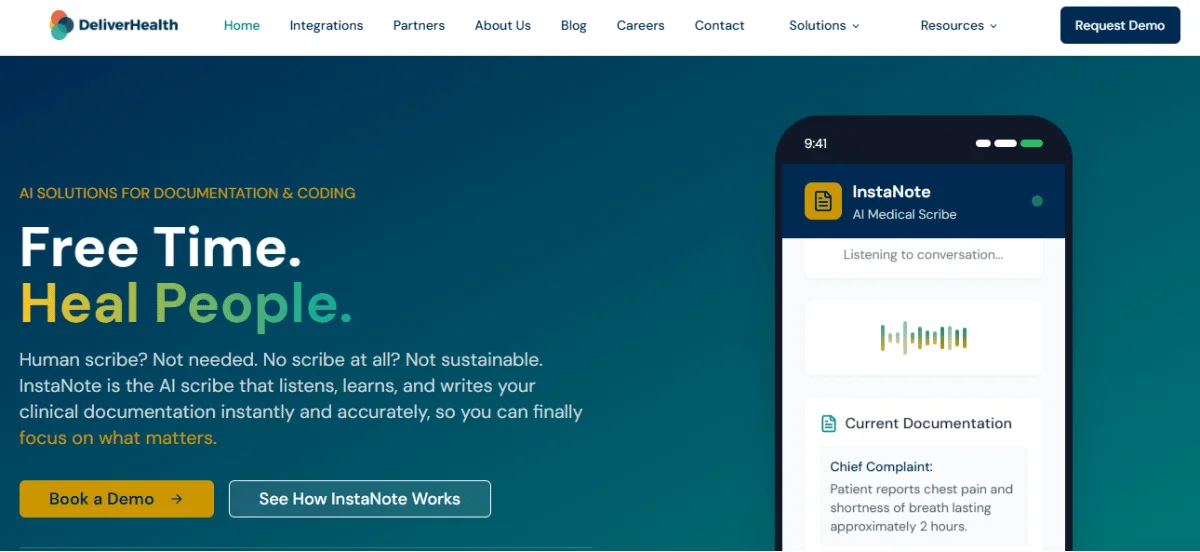
DeliverHealth provides clinical documentation and medical coding technology for healthcare organizations. Its two solutions, InstaNote and InstaCode, support different parts of the documentation-to-coding process.
InstaNote brings ambient clinical intelligence into the documentation workflows, formats clinical notes based on provider and organization preferences, and surfaces coding suggestions once the note is complete. InstaCode then takes the completed documentation into PerformPlatform for coding.
Key InstaCode capabilities include:
Flexible coding workflows: You can use AI coding alongside autonomous, human, or hybrid coding workflows, depending on how you want encounters handled.
Coding workflow in PerformPlatform: Coders work in PerformPlatform, which handles data ingestion, validation, and reconciliation, rules-based routing, and billing-ready DFT output.
Built-in auditability: Every coded encounter is auditable. You can see the original AI output, changes made by your coders and their reasoning, plus any later edits from human auditors.
Coding guidance and reporting: Your team can use InstaCode to check current code updates and payer rules. Its dashboards also let you track coding activity, edits, quality, and other workflow data.
Multiple AI models: DeliverHealth uses different advanced models based on what works best for the organization rather than relying on a single model.
Specialty and care-setting coverage: DeliverHealth supports documentation and coding workflows across inpatient, outpatient, and ambulatory care, including complex surgical and multi-specialty environments.
Best fit: Health systems that want flexible coding automation across specialties and existing documentation workflows.
InstaCode can work with completed documentation from InstaNote and other sources as well, so you can add coding automation without changing how your clinical documentation is created. Talk to DeliverHealth about how InstaCode can fit into your current coding process.
2. Fathom
Fathom focuses on autonomous medical coding and can send the encounters it codes straight to billing without waiting for a coder to approve them. If it can’t code a case, that work goes to a human reviewer.
Here’s what to know about the platform:
Specialty coverage: Fathom supports emergency medicine, radiology, primary care, surgery, hospital medicine, home care, and telehealth.
Human review: Cases that cannot be coded autonomously are sent to a human coder, so your team can still handle the remaining work.
Epic integration: Fathom is available through Epic Toolbox under Fully Autonomous Coding, which gives Epic users an established integration path.
Reported automation: Fathom reports 93%+ direct-to-bill automation in some workflows, but the actual rate depends on the specialty and encounter mix.
Best fit: High-volume coding teams with a significant amount of routine work.
Tradeoff: Fathom is still developing autonomous inpatient facility DRG coding, so health systems looking to automate inpatient facility coding should confirm what is currently available for those workflows.
3. CodaMetrix
CodaMetrix is an autonomous medical coding platform that is built for healthcare systems. Its CMX CARE platform codes across professional and facility workflows and supports multiple specialties.
Here’s what to know about the platform:
Coding coverage: CodaMetrix works across specialties including radiology, pathology, and surgery, as well as other service lines.
Patient record data: The platform can use information from across the patient record and account for provider and payer policies when coding.
Human review: Cases that need additional attention can be sent to coding staff.
Reported results: CodaMetrix reports a 70% reduction in manual coding and a 60% reduction in coding-related denials.
Best fit: Large health systems and academic medical centers with multiple coding service lines.
Tradeoff: Its enterprise focus may be more than smaller organizations need, particularly if they only want to automate a limited number of specialties.
4. Nym
Nym is an autonomous medical coding platform that uses its Clinical Language Understanding engine to interpret clinical documentation and code encounters.
Here’s what to know about the platform:
Autonomous coding: Nym can assign codes and send completed charts to billing without a coder approving each one.
Specialty coverage: It supports emergency medicine, radiology, outpatient surgery, outpatient visits, inpatient professional services, and urgent care.
Coding logic: The platform combines machine learning with rules-based clinical ontologies when interpreting documentation.
Auditability: Nym provides traceable documentation for the codes its engine assigns.
Best fit: Organizations with substantial coding volume in Nym’s supported service lines.
Tradeoff: Autonomous coding is limited to the service lines Nym currently supports, so organizations with coding needs outside those areas will still need another workflow.
5. Solventum 360 Encompass
Solventum 360 Encompass is built for hospital coding teams handling inpatient and outpatient facility coding. It reads clinical documentation and surfaces coding information for coders to review as they work through the record.
Here’s what to know about the platform:
Facility coding: The platform covers inpatient and outpatient workflows and supports ICD-10-CM/PCS, CPT, and HCPCS.
Documentation analysis: NLP identifies coding information in the record and links it with supporting documentation.
Coding and quality flags: The platform can flag documentation related to patient safety indicators and hospital-acquired conditions, giving coders additional information to review as they code the record.
Deployment: Hospitals can use the platform on-premises or in the cloud.
Autonomous coding: Solventum also has a separate autonomous coding offering for certain workflows.
Best fit: Hospitals with inpatient and outpatient facility coding requirements.
Tradeoff: Solventum’s autonomous coding does not currently cover inpatient stays, so inpatient coding still follows its coder-involved workflow.
6. AGS Health
AGS Health is a revenue cycle management company that offers medical coding technology alongside managed coding services.
Here’s what to know about the solution:
Coding options: AGS offers autonomous and computer-assisted coding, along with human coding support.
Human review: AGS coding staff can handle cases that need additional review or manual coding.
Managed services: Its services also cover areas such as coding audits, CDI, analytics, and other revenue cycle work.
EHR connections: AGS lists integrations with systems including Epic, Oracle Health/Cerner, MEDITECH, athenahealth, and eClinicalWorks.
Best fit: Organizations that want coding automation and access to managed coding resources.
Tradeoff: Some coding may be completed by AGS staff rather than autonomously, so buyers need to separate those two numbers when evaluating automation rates.
How to Verify Vendor Accuracy and Automation Rate Claims
Vendor accuracy and automation rates can be hard to compare because vendors may calculate percentages in very different ways. One vendor may report results across all encounters, while another may calculate them only after filtering out cases its system can’t handle. Specialties, chart types, and how accuracy is measured can also change the number.
Here’s what to check:
Start with the denominator: Find out whether the automation rate is based on all encounters or only those the system considered eligible. If 54,000 out of 60,000 eligible encounters were automated from 100,000 total encounters, the vendor can report 90% automation even though only 54% of the total volume was automated.
Check which charts were included: Look at the sample size, care settings, and encounter types, along with any charts that were filtered out because of incomplete documentation or complexity.
Break results down by specialty: Overall averages can hide differences across specialties, so get the numbers for the specialties that make up most of your coding volume.
Check how accuracy is measured: Find out whether accuracy is calculated by code, encounter, or another method and what has to be correct for the result to count as accurate.
Look at how the results were validated: Check whether the numbers come from the vendor's own testing, customer audits, or independent validation and how many charts were reviewed.
If a vendor gives you an accuracy or automation percentage without the denominator, you’re missing the information you need to judge that number.
What EHR Integration and Implementation Require
EHR integration and implementation require coordination between your coding, IT, and revenue cycle teams.
You’ll need to determine how data moves between your EHR and the coding platform, how coded information is returned, where coders work, and how the new process fits into your existing billing workflow.
A typical implementation involves:
Mapping the current workflow: Document how an encounter moves from completed documentation through coding and billing. This helps you identify where the new tool needs to receive information, return coded data, and fit around existing manual steps.
Building and testing interfaces: Your IT team may need to configure interfaces between the EHR, coding platform, and downstream billing systems, then test whether information moves correctly in both directions.
Confirming data requirements: Check what clinical and encounter data the tool needs from your EHR, including structured fields and information contained in clinical notes, and whether that data is available in the required format.
Defining the coder workflow: Establish which encounters will be automated, which will go to coders, where coders will complete their work, and how exceptions will be routed.
Rolling out by specialty: Start with a defined specialty or encounter type, test the integration and coding workflow with that volume, and expand once the process is working as expected.
How to Run a Medical Coding Automation Pilot
A pilot gives you a chance to test the software against your own coding volume before deciding on a broader rollout. Set the measures and pass/fail thresholds before the pilot starts so you know what success should look like.
From there, run the pilot in four steps:
Capture your baseline: Record your current coding accuracy, coder productivity, turnaround time, denial rate, and cost per coded encounter.
Choose a specialty: Start with a specialty with enough volume to provide a useful sample, and include the mix of routine and complex encounters your team normally handles.
Run coding in parallel: Have the new software and your existing coding process handle the same encounters for a set period. Then compare their coding accuracy, turnaround time, and the amount of coder review each one requires.
Set acceptance thresholds: Decide upfront what the solution needs to achieve for accuracy, automation rate, turnaround time, and error levels.
Use those results to decide whether to expand, hold, or stop. If the pilot falls short, identify where the errors or manual work are coming from before adding more specialties.

Frequently Asked Questions (FAQs)
Here are the questions HIM and coding operations leaders ask most often when shortlisting automation vendors:
Will Medical Coding Become Fully Automated?
Some coding workflows are already highly automated, particularly in high-volume specialties such as radiology and emergency medicine.
However, more complex cases and encounters with incomplete or variable documentation will continue to need coder review.
How Much Do Medical Coding Automation Tools Cost?
Vendors may charge per chart, per provider, or through a subscription.
When you budget for the tool, also account for EHR integration, implementation, ongoing support, and any coding services included in the contract.
Can Small Practices Use Medical Coding Automation Tools?
Yes, but the economics depend on coding volume.
If you have a low number of charts, the cost of implementing and maintaining the tool may outweigh the savings from reduced manual coding.
Are Medical Coding Automation Tools HIPAA Compliant?
Many vendors offer HIPAA-compliant solutions, but you should verify the details before signing.
Confirm the business associate agreement (BAA), where your data is stored, who can access it, and whether access is logged.
Who Is Liable for a Coding Error Made by an Automation Tool?
Your organization is still responsible for the codes submitted for reimbursement, even when software assigns them.
Review the vendor contract for indemnification terms and make sure the system keeps a clear audit trail showing how each coding decision was made or changed.
Conclusion
When narrowing your list of coding automation tools, look at how much coding the tool can complete without coder review and how its accuracy and automation rates are measured. Those details give you a better sense of what the tool will actually change for your coding team.
You should also consider how coding fits with the rest of your workflow, particularly the documentation it depends on. DeliverHealth connects documentation and coding through InstaNote and InstaCode, with AI-assisted, autonomous, human, and hybrid coding workflows. InstaCode also includes a built-in audit system, current coding guidance and payer rules, and reporting through PerformPlatform.
If coding volume is stretching your team or adding to your backlog, book an InstaCode demo to see how flexible coding automation can help.
Stay Updated
Subscribe to our newsletter for the latest healthcare AI insights and company updates.